From the Octopus interface, the release that was created can be deployed to the environment of your choice. The interface and method are the same as how Forsta Plus releases are deployed.
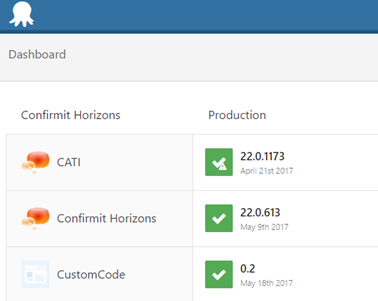
Figure 1 - Deploying custom code
1. Select the CustomCode project. This will show currently deployed releases (marked with a tick) and other versions available for deployment.
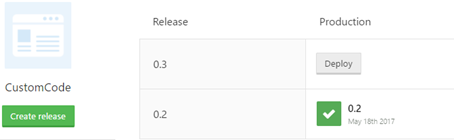
Figure 2 - The currently deployed release
2. Select Deploy to the environment you require will open the deployment screen, from where you can begin the deployment. Select Deploy now to proceed.
- Adding the DLLs will cause the AppDomain to flush for the Authoring, Reportal and Survey Engine applications. This will make the next request to these applications slower due to aspx compilation.
- The Tasks System is restarted during the deployment process.